![3.2_logo_outlined_black.png]](https://help.shore.com/hs-fs/hubfs/3.2_logo_outlined_black.png?height=34&name=3.2_logo_outlined_black.png)
Instructions for changing the card terminal's language
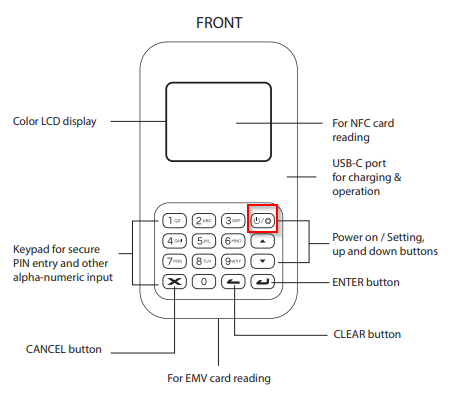
- Tap the power on / settings icon in the top right
- Use the up 🔼 and down 🔽 keys to navigate through the settings menu
- Keep pressing the down 🔽 key until Language appears
- Press the green ENTER ↩ key
- Use the up 🔼 and down 🔽 keys to scroll through the available languages
- Once your desired language, e.g. English, is displayed, press the ENTER ↩ key