![3.2_logo_outlined_black.png]](https://help.shore.com/hs-fs/hubfs/3.2_logo_outlined_black.png?height=34&name=3.2_logo_outlined_black.png)
You have successfully completed the initial steps of your calendar setup, and now it's time to verify that everything is functioning as intended. Follow these steps to book a test appointment:
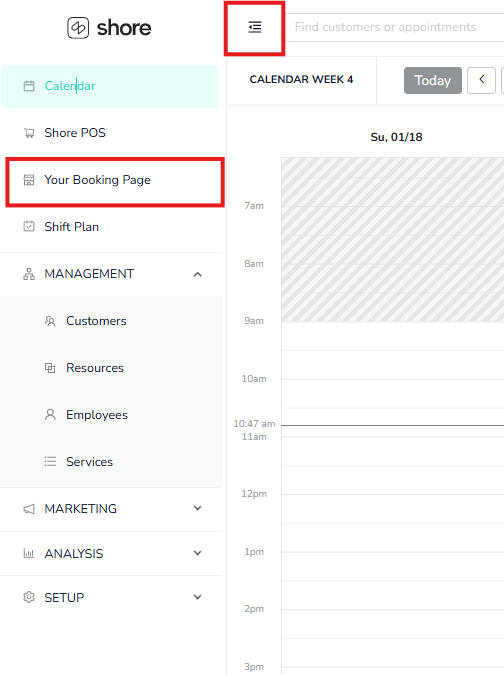
1. Click on the menu located at the top left corner and then Your Booking Page to access your booking page.
2. Choose one or more services that you wish to book from your booking page.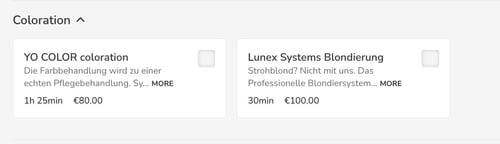
3. Select your preferred employee and time slot.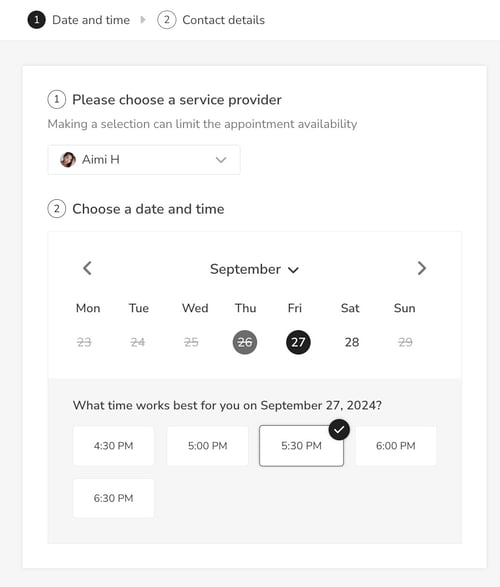
4. Enter your information. (By providing a valid email address, you will be able to see a preview of the booking request or confirmation email immediately.)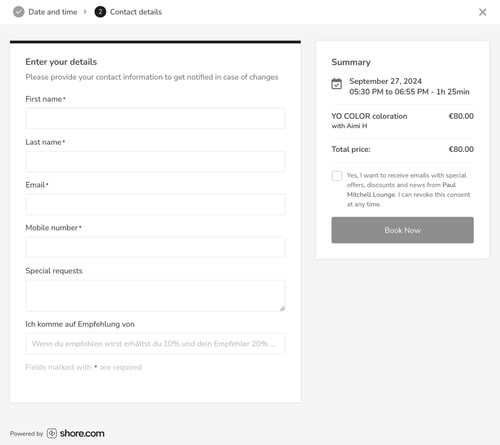
5. Confirm your appointment booking with "Book Now".
After you’ve booked the appointment, it will appear in the calendar. This gives you the opportunity to review your booking page's appearance, ensure that all employees are selectable, and observe how a newly booked appointment is displayed in the calendar.
Feel free to delete the test appointment once you have completed your review.