![3.2_logo_outlined_black.png]](https://help.shore.com/hs-fs/hubfs/3.2_logo_outlined_black.png?height=34&name=3.2_logo_outlined_black.png)
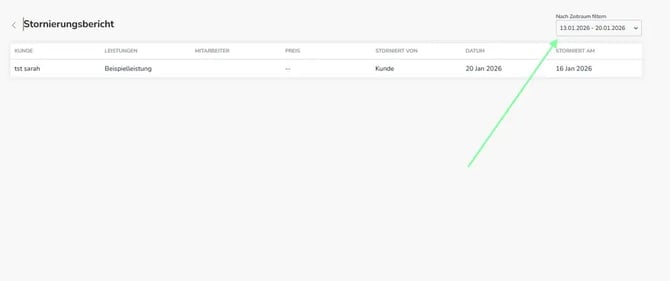
In your Shore statistics, you can generate a detailed overview of all cancellations for a specific period. The following information is shown:
- Appointment details (customer, services, staff member, price)
- Who cancelled the appointment (customer or staff member)
- Date of the appointment and the cancellation
You can find the cancellation overview here:
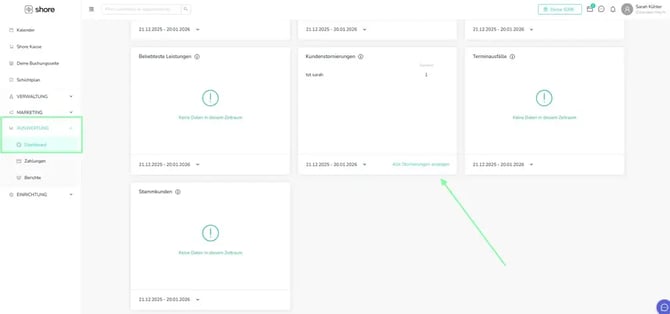
- Open the main menu in the top left and click Analytics, then Dashboard.
- Scroll to the "Customer Cancellations" tile.
- Click View All Cancellations.
- Set the desired time period in the top right.
- You'll now see an overview of all cancelled appointments.
Tip: Click an appointment to view its details and delete it from the calendar.