![3.2_logo_outlined_black.png]](https://help.shore.com/hs-fs/hubfs/3.2_logo_outlined_black.png?height=34&name=3.2_logo_outlined_black.png)
Your customers can specify which staff member they'd like to be served by when booking.
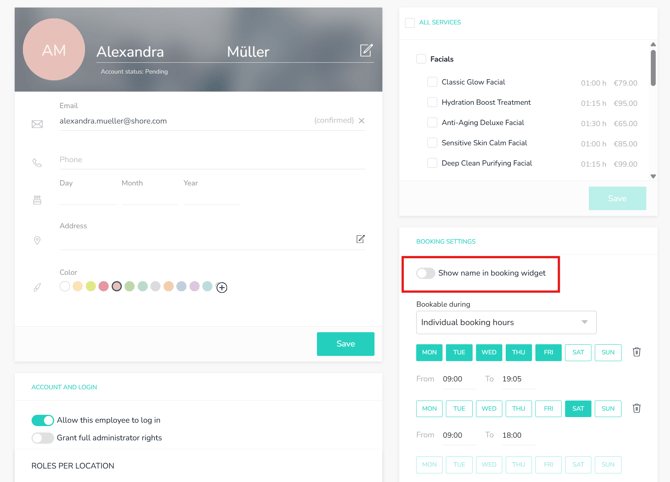
You can adjust this setting directly in the staff member's profile:
- Open the main menu and click Management > Staff. Here's a direct link to your calendar's staff settings.
- Select a staff profile.
- Enable the Selectable in Booking Form option.
- Save your changes.
You can also give your customers the option to book online without selecting a specific staff member.
You'll find this option in your booking settings:
- Click your username in the top right, then click Settings > Booking Settings. Here's a direct link to your calendar's booking settings.
- Scroll down to the "Staff Selection" section.
- Enable/disable the Show the "Any Staff Member" Option During Online Booking setting.
- Save your changes.