![3.2_logo_outlined_black.png]](https://help.shore.com/hs-fs/hubfs/3.2_logo_outlined_black.png?height=34&name=3.2_logo_outlined_black.png)
Note: This feature is only available in the Kasse+ and All-in-One packages.
You can find the list in the POS Manager under Product Manager > Stocktake.
Procedure
This template lists all your products for the stock count. In the last two columns, you can enter the new stock level or a comment.
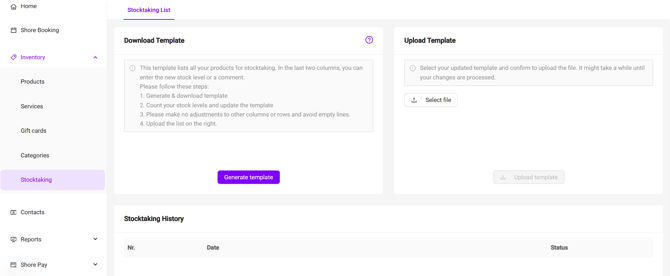
Please follow these steps:
- Generate and download the template.
- Count your stock (actual stock) and update the template.
- Please don't make changes to any other columns or rows, and avoid leaving blank rows.
- Upload the completed template on the right-hand side.
Note: To make sure this process works correctly, please update ONLY the last two columns on the right side of the spreadsheet (actual stock and comment).