![3.2_logo_outlined_black.png]](https://help.shore.com/hs-fs/hubfs/3.2_logo_outlined_black.png?height=34&name=3.2_logo_outlined_black.png)
In addition to simple products, you can add variations to any item — for example, for clothing and shoes. This way, you don't need to create a separate product for every size or color; instead, you set up a single main product with different variations.
Products
As described above, products are the items you carry in your inventory. Our inventory management system lets you save products permanently or create them just for a single sale.
Variations Explained
Variations let you group items that come in multiple colors, sizes, etc. under a single product. This improves clarity both at checkout and in your sales reports.
Variations in the Shore POS App
When you tap a product with variations at checkout, a window opens where you can select, for example, the correct size, which is then added to the cart.
Variations in the POS Manager
In the product list, you can identify these products by the number next to the product name, and you can view the individual variants by clicking the arrow.
Attributes
Up to three attributes can be assigned to a product, chosen from the following options:
| Size | Color |
| Material | Cut |
| Fabric | Finish |
| Fit | Flavor |
| Scent | Volume |
| Type | Packaging |
| Pattern | Season |
| Jewelry (Stone) | Style |
| Texture | Label |
| Weight | Width |
Creating Products
You can add products — with or without variations — to your system in several different ways. Click the links below to learn more about each method:
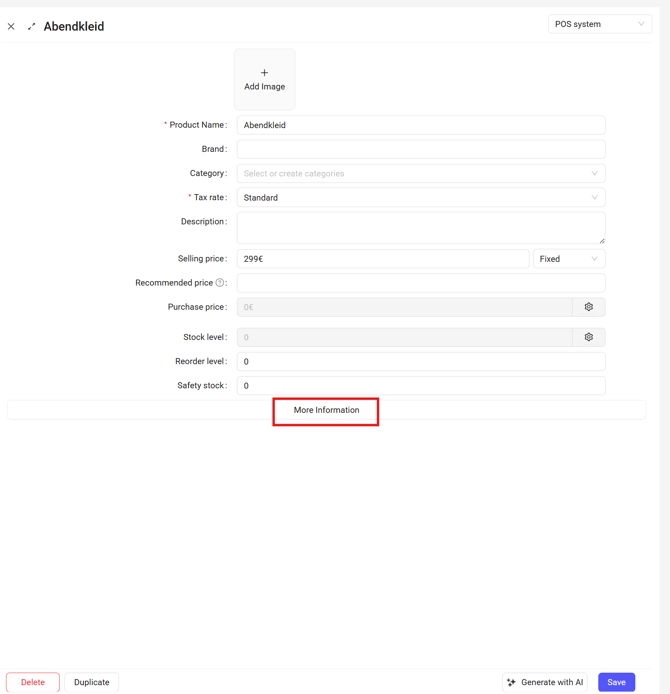
To assign variations to a product, open a product in the POS Manager under Inventory > Products, then click More Information and then Add Variation.
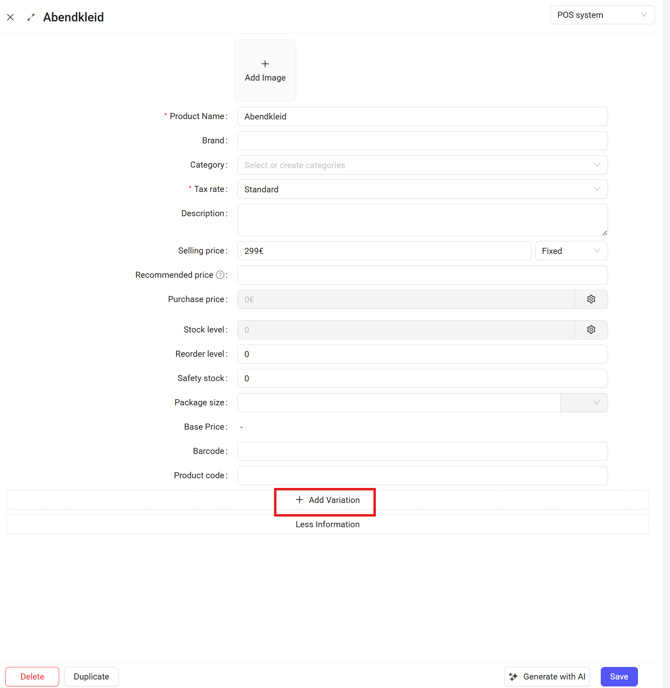
The fields will open, letting you set up all the required attributes and then create your variations. Additional variations can be added later at any time in the same way.
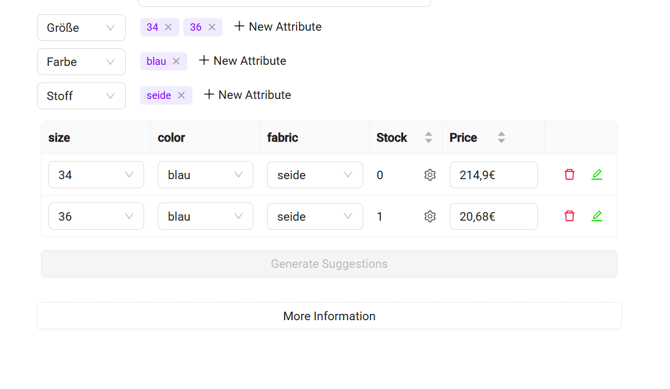
Please note: Each variation has its own purchase price. If the main product already had its own purchase price, it will automatically be inherited by the variation upon creation. We still recommend checking this value for each variation and adjusting it if needed.