![3.2_logo_outlined_black.png]](https://help.shore.com/hs-fs/hubfs/3.2_logo_outlined_black.png?height=34&name=3.2_logo_outlined_black.png)
Requirements
- You should have Shore Pay Online activated. You can do this under Setup > Calendar Settings > Payments. You can find more information about this in this article.
- You must have already created at least one service. You can read here how to create services.
Exclude individual services from online prepayment
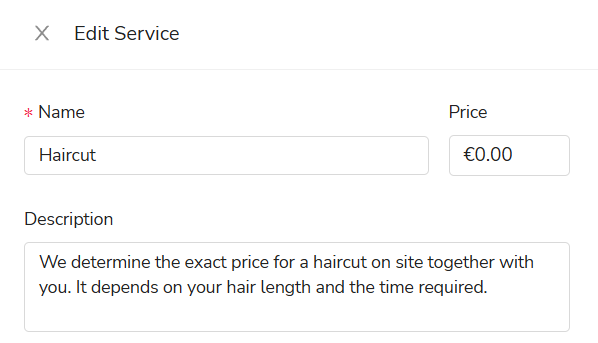
From our customer feedback, we know that many hairdressers, for example, can't predict how much a haircut will cost when booking. In such cases, it makes sense to exclude this service from online prepayment.
To do this, open the respective service under Management > Services > the specific service.
Then uncheck the box "Show price and enable online payment". Now your service will be displayed without a price but can still be booked online. 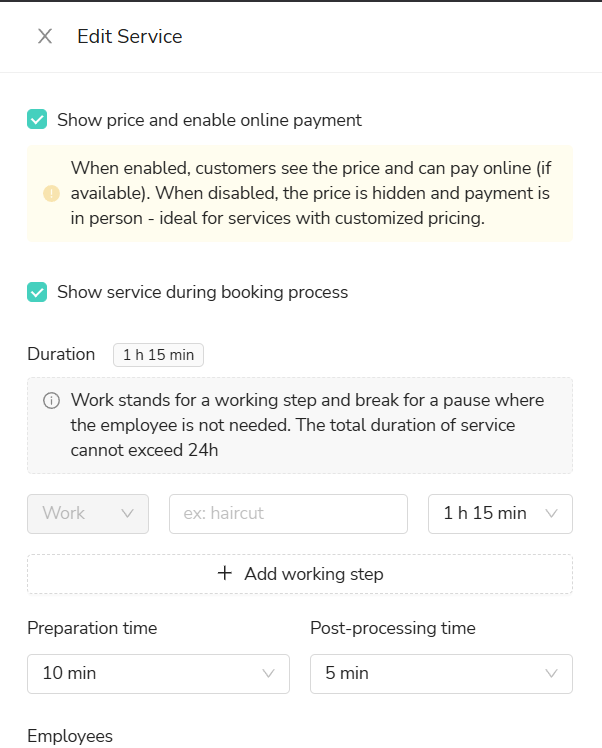
Ideally, add a note in your service description that the price must be determined individually.