![3.2_logo_outlined_black.png]](https://help.shore.com/hs-fs/hubfs/3.2_logo_outlined_black.png?height=34&name=3.2_logo_outlined_black.png)
Important: We strongly recommend implementing a GDPR-compliant cookie banner that is compatible with Google Consent Mode V2. Otherwise, you will not be able to use Google Analytics and Google Ads to their full extent.
To facilitate integration, we have included a template of the Cookiebot cookie banner in this tutorial. Please click on this link to sign up so that we can easily access your account if you need further assistance from our tracking specialist.
Step 1 — Import the GTM tracking template
Important: A Google Tag Manager container must be installed on your website. If you do not yet have a GTM container, please create one and install it on your website.
New to GTM? → Create a GTM account and install your container
- Download the template: GTM-Shore-Tracking-Template.json (right-click → "Save link as…")
- In GTM, open your container → Admin → Import Container → select the file you just downloaded.
- Choose "Merge" and Workspace "Existing" (or a new workspace, if you prefer to review before publishing).
Why a template instead of building it yourself? Our template already contains every tag, trigger and variable needed for GA4, Google Ads, Meta and TikTok correctly wired together and consent-aware. You only fill in your own IDs.
All triggers and variables that need to be filled will start with: **Fill in**
Step 2 — Set up your cookie banner
Google Ads and GA4 can only work at full strength once visitors have given consent — so a Google Consent Mode v2-compatible cookie banner is required, not optional.
The template comes with Cookiebot pre-configured, so this is normally a two-minute job. You're also free to use any other Consent Mode v2-compatible banner instead — the requirement is simply that the banner is present on both your website and the Shore booking engine.
👉 Full walkthrough: Implement a GDPR-compliant cookie banner
Step 3 — Fill in your tracking IDs
In GTM, go to Tags, Variables and Triggers and open each one below. Replace the placeholder with your own value, then save.
TAGS:Conversion Linker Tag:
.png?width=607&name=Google-Tag-Manager%20(1).png)
Variables IDs:**Fill in** - Google Ads Conversion ID 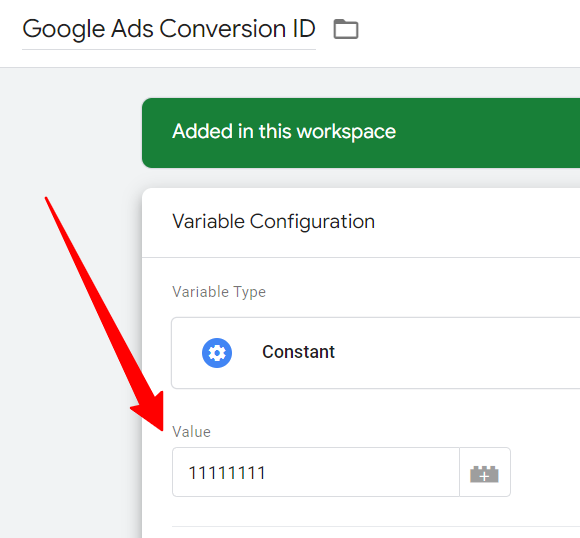
**Fill in** - Google Ads Conversion Label 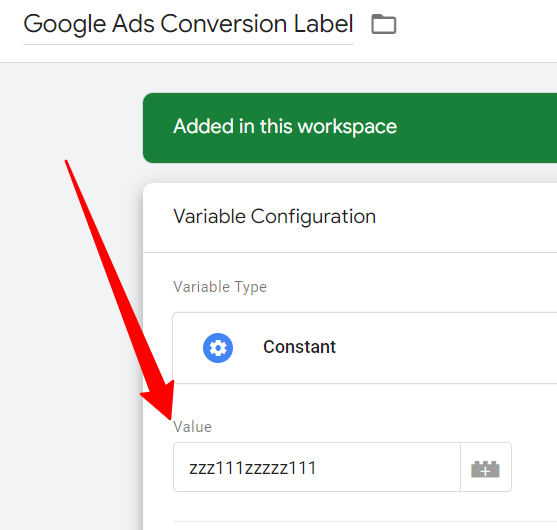
**Fill in** - Meta pixel ID
Important: To avoid restrictions imposed by third-party domains, we recommend placing your Facebook conversion pixel on your own website rather than on the Shore booking engine at connect.shore.com. This means you will need to create your own thank you page (on your domain) and place the Facebook conversion pixel there. Fortunately, we have created an initial setup for you. All you have to do is add the URL of your thank you page and your Facebook pixel ID. You can find all the details in the section “Create your own thank you page – Facebook tracking workaround.”
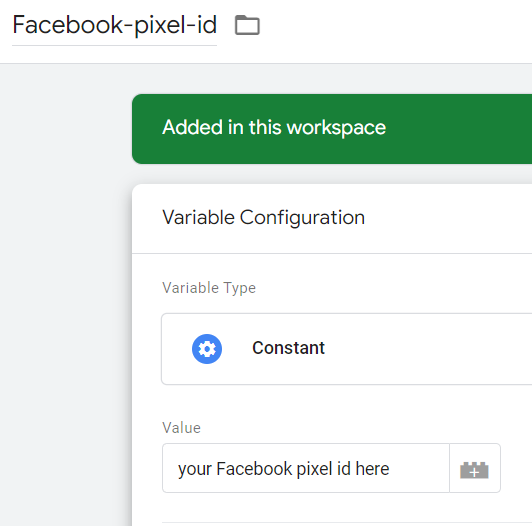
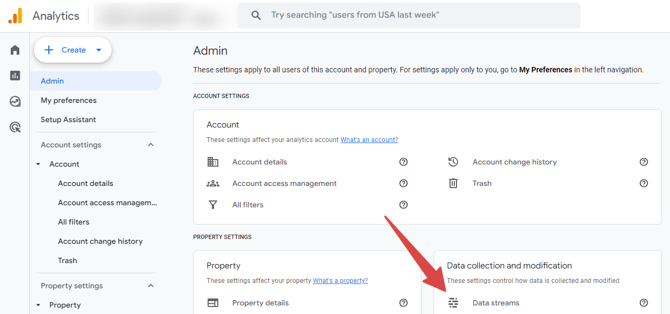
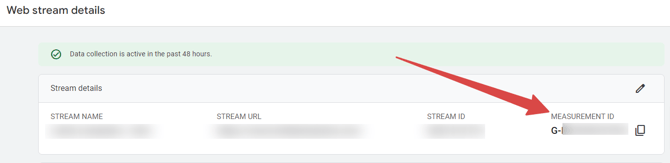
**Fill in** - GA4 Measurement ID
Here you can find the GA4 measurement ID:
Google Analytics (GA4) - Cross Domain
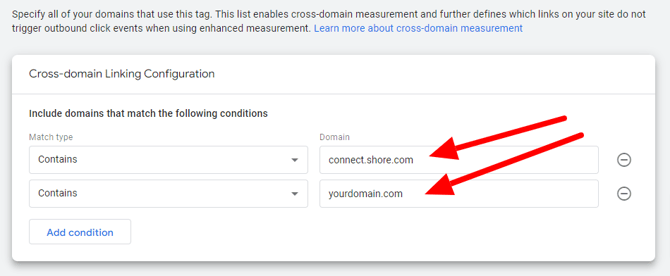
You need to adjust your GA4 measurement ID so that it supports cross-domain tracking (between your domain and the connect.shore.com domain).
Watch this video carefully to set up and test cross-domain tracking in GA4.
Step 5 — Test before you go live
In GTM, click Preview and go through a full test booking on your site. Check that events fire and that your platforms receive the data (Google Tag Assistant, Meta Pixel Helper, or your ad platform's own test tools all work well here).
Step 6 — Publish
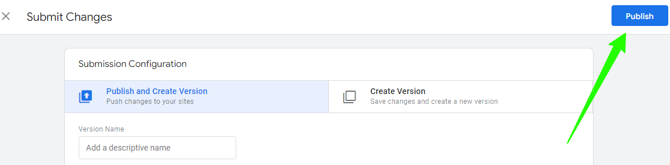
Once everything checks out, click Submit → Publish in GTM. Your tracking is now live.
Still unsure, or something isn't firing quite right? Reach out to Amaury Guenant, Shore's tracking specialist, at amaury.guenant@group.one. Our support is included at no extra cost.
Under the EU Cookie Law*, the cookie banner serves two purposes:
- to ensure that visitors to your site are informed about the use of cookies
- to enable visitors to either accept or block Marketing and Analytics cookies (ex Google Ads, Google Analytics, usw)
The Cookie Law is a piece of privacy legislation that requires websites operating in the EU to get consent from visitors to store or retrieve any information on a computer, smartphone or tablet.